7 Best UPS Battery Backup Options for Home and Office?
Power interruptions rarely arrive at a convenient time. A frozen spreadsheet, lost video call, or silent router can expose weak backup planning within seconds. The Uptime Institute’s 2024 Annual Outage Analysis reported that 54% of respondents said their most recent outage cost more than $100,000. Home users face smaller losses, but missed work and damaged equipment still matter.
This guide examines seven ups battery backup options for homes and offices. Each option is assessed through practical details: battery capacity, runtime, outlet design, noise, surge protection, warranty coverage, and replacement costs. A 900VA unit may keep a modem and laptop running briefly. A larger pure-sine-wave model can support desktop computers, monitors, NAS devices, and network hardware more safely. Runtime depends on load, battery age, and efficiency. Published figures are not always realistic.
That distinction matters.
The evaluation also considers guidance from the International Electrotechnical Commission’s IEC 62040 standard family, which covers UPS safety and performance requirements. Buyers should compare tested specifications rather than trust attractive package numbers. A useful ups battery backup should provide enough time to save files, shut down equipment, or continue critical work during short interruptions. It should not be treated as an unlimited power source. No shortlist is perfect, and office users may need different protection from households. This comparison explains those compromises clearly, using current product specifications and credible industry evidence to support a more reliable purchase decision.
Understanding How UPS Battery Backup Systems Work
A UPS battery backup is more than a rechargeable battery. It monitors incoming electricity, filters disturbances, and supplies temporary power when the grid fails. During normal operation, electricity passes through a rectifier and charges the battery. An inverter then provides stable output to connected equipment. When voltage drops, a transfer switch changes sources within milliseconds.
The difference is noticeable.
Standby units handle brief interruptions. Line-interactive systems also correct moderate voltage changes. Online systems continuously convert power, offering the cleanest output for sensitive servers and medical equipment. Capacity matters too. Check both wattage and VA ratings, then estimate runtime at your actual load. A unit rated for 900 watts may run only a few minutes when heavily loaded.
25%
Uptime Institute’s 2023 Annual Outage Analysis reported that 25% of significant outages created costs above $1 million.
That figure shows why power protection deserves practical planning, not guesswork. Battery age, room temperature, and poor testing can reduce runtime sharply. Many users overlook this. I have seen backup systems pass a quick indicator check but fail under load. Monthly visual inspections and periodic battery tests provide stronger evidence. Replace batteries according to measured performance, not only calendar age. Also leave enough capacity for future equipment, because a nearly full UPS has little operating margin.
Key Factors for Choosing a UPS for Home or Office Use
7 Best UPS Battery Backup Options for Home and Office
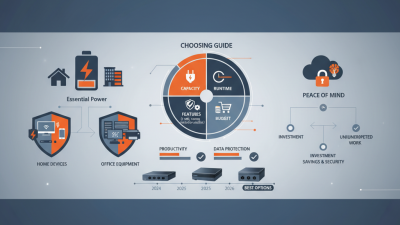
Choosing a UPS begins with the equipment it must protect. Measure the total wattage of your computer, monitor, router, storage device, and other essential equipment. Add roughly 20% capacity for future upgrades and brief power surges. Leave room.
A standby UPS can suit a basic home computer and internet router. A line-interactive model offers better voltage regulation for offices with unstable utility power. An online UPS provides continuous power conditioning for servers, medical equipment, or sensitive workstations. Check the output waveform carefully. Modern power supplies often perform better with pure sine-wave output.
Runtime matters as much as capacity. A short outage may require ten minutes, while a longer interruption may demand controlled shutdown software. Review the battery replacement process, expected battery life, warranty terms, and overload protection. Batteries commonly weaken after several years, even when the UPS appears normal. That detail is easy to miss.
Placement affects reliability. Keep the unit on a hard, dry surface with clear airflow. Avoid enclosed cabinets and dusty floors. Listen for fan noise before using a UPS beside a bed or recording desk. During my own equipment checks, I have found that estimated runtime can differ from actual runtime under changing loads. Test the system with your real devices, not only the manufacturer’s calculator. A UPS that protects a desktop may struggle with a laser printer or high-powered workstation. Pair the capacity with your daily workload, not an idealized setup.
These seven UPS use cases represent common home and small-office requirements. Capacity recommendations are based on typical equipment power demands and standard UPS size classes. Estimated runtime assumes a fully charged battery, approximately 50% load, and average consumer or small-office equipment; actual runtime varies with battery capacity, load, battery age, and power quality.
Comparing the Seven Best UPS Battery Backup Options
Choosing among the seven best UPS battery backup options depends on equipment, room size, and outage patterns. A standby UPS is affordable and suits routers, lamps, and basic office computers. A line-interactive model adds voltage regulation, making it stronger for areas with frequent voltage dips. An online double-conversion UPS offers the cleanest power for servers, medical research equipment, and sensitive workstations, but it costs more and produces extra heat. That difference matters in a small office.
The fourth option is a pure sine-wave UPS, which supports modern computers, monitors, and equipment with active power supplies. A simulated sine-wave unit may work well, but compatibility can be inconsistent. Tower UPS systems save installation time and fit beside desks. Rack-mounted models use vertical cabinet space efficiently, especially in network closets. A modular UPS provides scalable capacity and easier maintenance, although its initial price may feel difficult to justify for a small team.
I compare runtime at half load, battery replacement access, warranty terms, outlet spacing, and audible alarms. A five-minute runtime may protect a workstation long enough to save files, while a server may require graceful shutdown software. I once underestimated cable reach; the unit worked, but placement became awkward. That small mistake changed my checklist. Buy more capacity than today’s measured load, but avoid excessive oversizing. Larger units can waste energy and cost more when their batteries eventually need replacement.
Installing, Maintaining, and Replacing a UPS Battery Safely
A UPS battery protects computers, routers, and medical equipment from short power failures. Uptime Institute’s 2023 outage analysis reported that 55% of surveyed organizations experienced incidents costing over $100,000. Home users face smaller losses, but corrupted files and failed work can still hurt.
Install the UPS on a dry, stable surface with clear airflow. Never place it beside heaters or cover its ventilation slots. Check the input voltage and load before connecting equipment. The unit’s manual matters more than guesswork. It is easy to overlook.
Lead-acid batteries can release hydrogen during charging. OSHA therefore recommends adequate ventilation and protection from sparks. Wear eye protection and insulated gloves when handling damaged or leaking batteries. Do not touch swollen, cracked, or hot cells. Disconnect mains power first, then follow the manufacturer’s replacement sequence. A UPS can retain dangerous energy after unplugging.
Record installation dates and inspect the battery every three months. Look for swelling, corrosion, unusual odors, or reduced runtime. IEEE 1188 recommends scheduled maintenance and capacity testing for stationary lead-acid batteries. For many small UPS systems, replacement becomes sensible after three to five years, although heat can shorten that period. Batteries stored in warm offices often age faster. I have seen users replace only the battery, then discover a failed charger. Test the complete UPS afterward. Recycle the old battery through an authorized collection service; lead-acid batteries are highly recyclable, according to the U.S. Environmental Protection Agency.