A power backup system should fit the outages you actually face, not an idealized emergency. A few minutes of protection for a router and desktop calls for a different setup than overnight support for a refrigerator, medical equipment, or a small office. Energy-efficiency expert Amory Lovins is often credited with the line, “The cheapest energy is the energy you don’t use.” It is a useful reminder: reducing unnecessary loads can lower system cost and extend runtime.
This guide compares the main choices for 2026, including battery systems, uninterruptible power supplies, and generators. It explains how to estimate essential wattage, account for startup surges, and match battery capacity to the hours you need. You will also learn what to check in inverter output, battery chemistry, recharge time, warranties, and local service. A label showing high capacity is not enough. A refrigerator compressor may briefly demand far more power than its normal running draw.
Real conditions matter. A battery in a hot garage may age faster, while a poorly sized system can shut down before morning. Still, no checklist removes every surprise. Start with recent outage records, list the devices you cannot lose, and compare systems against those needs. Then weigh upfront cost against maintenance, fuel, noise, and replacement parts. The best power backup is not necessarily the largest. It is the one that delivers dependable power for your critical loads, with limitations you understand before the lights go out.
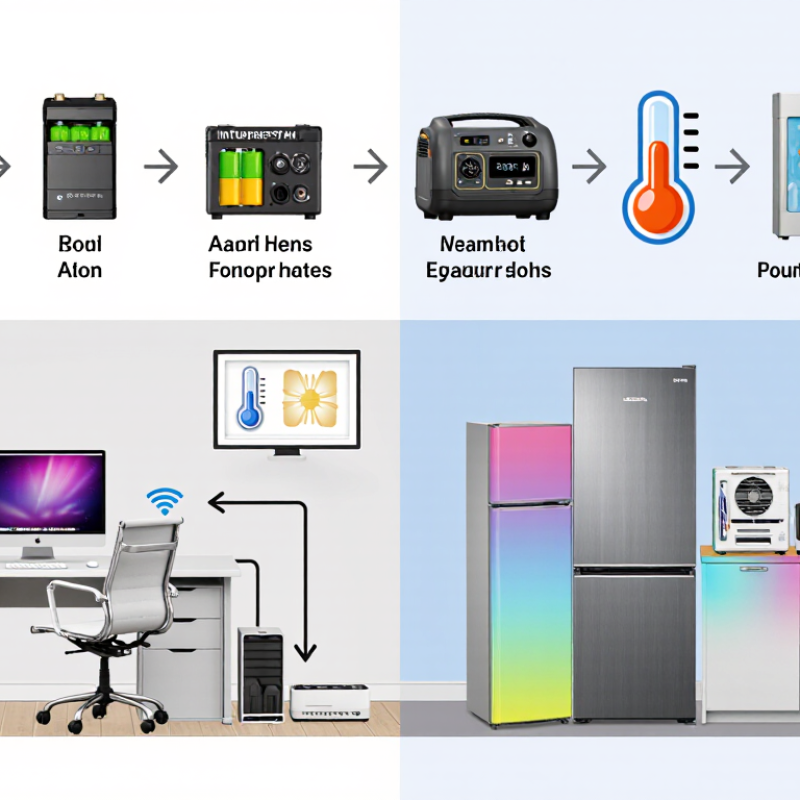
Begin with a simple inventory of what must keep working during an outage. For each appliance, note its wattage from the label or manual, then estimate how many hours you would use it. A refrigerator, for example, cycles on and off, so its average demand differs from its brief startup surge. Check both figures when available. Small details matter. A modem may draw little power, yet keep work or emergency information accessible. Decide whether comfort, communication, food safety, or medical equipment takes priority. Be honest about the trade-off: powering every room may be less useful than keeping a few essential circuits reliable.
Next, estimate the total energy needed across the outage, not just the highest load at one moment. Battery capacity, inverter limits, conversion losses, and temperature can all reduce usable runtime. A calculator gives a starting point, not a promise. Your estimates may be wrong; household habits change when the lights go out. Review them against a typical evening, including fridge cycling and device charging. For uncertain loads, a plug-in energy meter can provide a more realistic reading. Fixed wiring or large appliances deserve a qualified electrician’s assessment. Keep some margin for unexpected needs, but avoid paying for capacity you are unlikely to use.
A backup system should match the equipment you need to keep running and the length of an outage. An uninterruptible power supply, or UPS, suits computers, network gear, and other sensitive electronics. It can bridge a brief interruption and allow a safe shutdown. A small window. For longer outages, a portable battery power station can run lights, phones, routers, or selected small appliances. Check its usable capacity and output rating against each device’s power draw.
A home battery system can support essential circuits, such as a refrigerator, lights, and a Wi-Fi router. Its runtime depends on battery capacity, household load, and whether solar charging is available. Not every home needs whole-house backup. Fuel-powered generators can serve higher loads or extended outages, but require fuel storage, regular maintenance, and careful outdoor placement to prevent exhaust entering living spaces.
Compare systems using real needs, not headline capacity alone. List essential devices, note their wattage, and estimate how many hours each must run. Then check transfer time, recharge options, noise, and installation requirements. Estimates can still miss a cold night or an unexpectedly long outage; leave some margin.
Choosing a backup system starts with a clear picture of what must stay on. List each device, its running wattage, and the hours you expect to use it. A refrigerator may draw about 150 watts while running, yet briefly need much more when its compressor starts. Check the appliance label or manual; estimates can be surprisingly wrong. Start with measurements.
Add the running watts of devices used at the same time. Multiply that total by the hours of use to estimate energy in watt-hours. For example, a 100-watt router running for eight hours needs about 800 watt-hours. Include startup surges separately, because the system must handle both the total load and brief peaks. Small loads add up. Lights, chargers, and a fan can quietly increase the required capacity.
The battery’s stated capacity is not always fully usable. Conversion losses, temperature, battery age, and reserve settings can reduce available energy. If your calculation calls for 1,000 watt-hours, choosing exactly that amount may leave little margin. Add a practical buffer, then compare the usable capacity with your runtime target. For longer outages, consider which devices can be switched off or used in shifts. My own estimates would still need testing under real conditions; actual usage rarely follows a neat spreadsheet.
Choosing a power backup system starts with the loads you truly need, not the biggest capacity you can afford. List essential devices, such as a refrigerator, modem, lights, or medical equipment, and check their running and startup wattage. Efficiency matters because conversion losses reduce the energy available during an outage. Compare usable capacity and inverter efficiency, not just the advertised battery size. Small details matter. A refrigerator compressor can briefly draw far more power when starting than it uses while running.
Safety deserves equal attention. Look for clear protection against overload, overheating, and short circuits, plus a battery system suited to the installation environment. Keep equipment dry, ventilated, and away from heat. Follow the manufacturer’s installation instructions, and use a qualified electrician for fixed wiring. Test it under load. A system that works during a quick power-on check may still struggle when several appliances start together.
Compatibility affects whether backup power feels seamless or frustrating. Confirm the system’s voltage, output waveform, transfer time, and connection method match your devices and electrical panel. Reliability depends on more than a long warranty: check maintenance needs, operating temperature limits, available service, and expected battery life. Published runtime figures are useful, but real results vary with load and age. A spreadsheet can make the choice look exact; it isn’t. Leave some capacity for unexpected needs, while avoiding a costly system sized for appliances you rarely use.
A power backup system should fit the loads you actually need, not every appliance in the house. List essentials such as a refrigerator, a few lights, internet equipment, and a medical device if applicable. Check each item’s running watts and startup demand; motors can briefly draw much more power. Small details matter. A system sized only by its advertised capacity may struggle when a refrigerator compressor starts beside a pump. Decide how many hours of backup you need, too. A short outage and an overnight outage call for different battery capacity.
Compare the full installed cost, not just the equipment price. Ask whether the quote includes an electrician, wiring, a transfer switch, and any required inspection. Existing electrical panels, limited wall space, or a long cable route can add labor. That adds up. For long-term value, consider battery replacement intervals, usable capacity, efficiency, warranty terms, and local service access. A lower-cost system may be sensible for brief, rare outages; frequent outages can make greater capacity worthwhile. I would not assume the largest system is automatically best. Review your past bills and outage history, then check the final design with a qualified installer. Estimates can miss inconvenient details, so leave room in the budget for them.
| System type | Typical capacity or output | Typical upfront cost (USD) | Installation needs | Typical backup use | Long-term value and trade-offs |
|---|---|---|---|---|---|
| Uninterruptible power supply (UPS) | About 0.5–3 kVA; runtime is usually minutes, depending on load and battery size | About $100–$1,000 for common home and office units | Generally plug-in; keep it ventilated and replace batteries when needed | Safely shuts down computers, routers, and small electronics during short outages | Lowest-cost option for brief interruptions, but not intended to power household circuits for hours |
| Portable power station | Roughly 0.5–3 kWh of stored energy; output varies by model | About $400–$3,000, depending on capacity and features | Usually no fixed installation; charge from a wall outlet, vehicle, or compatible solar panels | Phones, lights, networking equipment, and selected small appliances | Quiet and convenient with no fuel storage; usable duration is limited by battery capacity and appliance demand |
| Portable fuel generator | Commonly about 3–10 kW; actual output depends on the unit and fuel | About $500–$3,000 for the generator; a professionally installed transfer switch can add roughly $500–$1,500 or more | Transfer-switch work should be performed by a qualified electrician; operate outdoors, well away from doors and windows | Selected essential appliances or circuits, subject to generator capacity | Relatively low entry cost and useful for occasional outages; requires fuel, safe storage, regular testing, and maintenance |
| Home battery system | Often about 5–20 kWh of storage; power output and usable capacity vary | Approximately $8,000–$20,000 installed for many residential systems, before incentives; larger systems can cost more | Professional electrical installation; backup circuits, permitting, and utility requirements depend on the home and system | Quiet backup for selected circuits; solar pairing can recharge the battery when the system is designed for it | Low routine maintenance and no on-site fuel; higher purchase cost, with value affected by electricity rates, outage frequency, and battery warranty |
| Standby generator | Common residential sizes are about 10–22 kW; correct sizing depends on starting loads and circuits | Often about $5,000–$15,000 installed; site work or larger systems can raise the total | Permanent installation, transfer equipment, permits, and a suitable natural-gas or propane supply; professional installation is required | Automatic backup for selected circuits or much of a home, depending on system size | Automatic operation and sustained power while fuel is available; requires periodic servicing, exercise, and ongoing fuel costs |
Cost figures are broad U.S. estimates for comparison, not quotes. Actual prices vary by location, system size, electrical work, permits, fuel supply, and site conditions. Incentives, financing, and operating costs are not included.