Choosing a battery backup power supply is not simply a matter of buying the largest battery. The right unit must match your equipment, runtime expectations, environment, and safety requirements. A home router may need only a few minutes of support, while a medical device, security system, or workstation may require stable power for much longer.
Isidor Buchmann, founder of Cadex Electronics and Battery University, has stated, “The battery is a silent servant that is often neglected until it fails.” That warning deserves attention. A backup system can appear reliable during normal operation, yet fail quickly when its battery is aged, overheated, or poorly maintained. Check the connected load in watts, not only the manufacturer’s advertised capacity. Measure the real runtime with monitors, computers, pumps, or networking equipment attached.
Look closely at transfer time and output waveform. Sensitive electronics often perform better with pure sine-wave output. Battery chemistry also matters. Lithium-ion models are lighter and often last longer, while lead-acid systems can remain practical for lower budgets. Installation conditions matter too. Heat shortens battery life, and blocked ventilation creates unnecessary risk.
There is no perfect checklist.
A careful choice should include warranty terms, replacement availability, overload protection, surge protection, and recognized safety certifications. Testing should not stop after installation. Simulate a controlled outage occasionally, record the runtime, and replace the battery before failure becomes an emergency. Some specifications remain unclear, and advertised runtime may seem optimistic. Treat those figures as estimates, not promises. The most dependable battery backup power supply is selected through measured needs, credible documentation, and regular review.
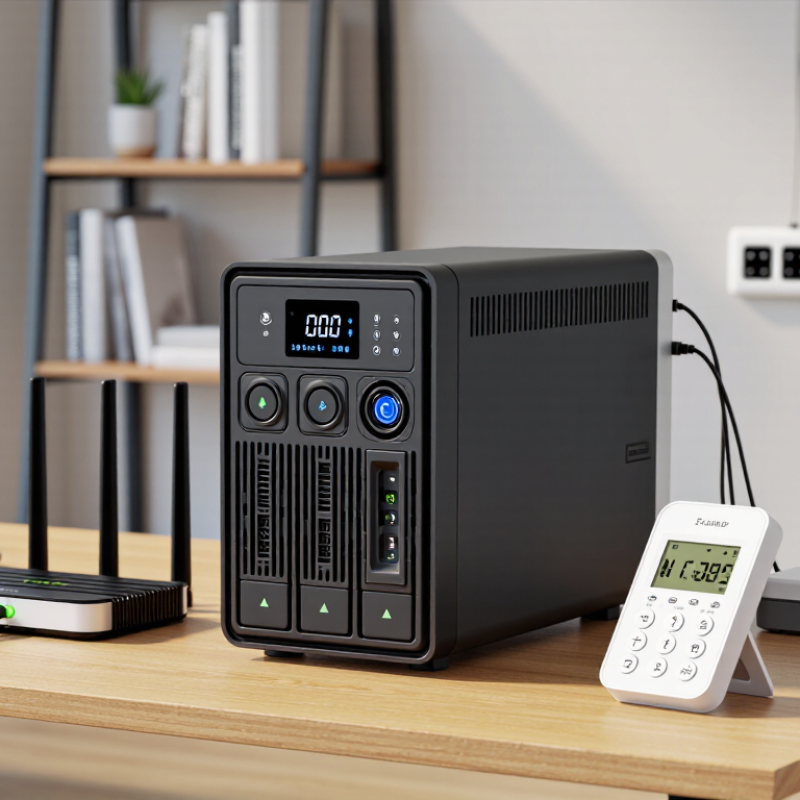
Before choosing a battery backup power supply, list every device that needs protection. Include computers, routers, monitors, pumps, and communication equipment. Record each device’s running wattage from its label or user manual. Then check for startup surges. Motors and compressors may briefly demand twice their normal power.
Decide how long each device must operate during an outage. Ten minutes may protect an active computer shutdown, while several hours may support essential monitoring equipment. Add the wattages together, but do not stop there. Choose extra capacity for future devices and battery aging. I once underestimated a printer’s startup demand. The system overloaded during testing. That was an avoidable lesson.
Tips: Separate essential loads from convenient ones. A router may matter more than a second screen. Use a plug-in power meter for real measurements. Test the expected runtime with actual equipment connected. Keep batteries away from heat, moisture, and blocked ventilation. Check whether the supply provides the correct voltage and outlet type. For medical or safety-related equipment, confirm the requirements with a qualified professional. Write down your assumptions. Some will be wrong later. Recheck them after a real outage.
Choosing a battery backup starts with chemistry, not appearance. Lead-acid batteries usually cost less upfront and tolerate simple charging systems. However, they are heavy and often deliver fewer usable cycles. Lithium iron phosphate batteries cost more, but they usually offer longer cycle life, lower weight, and stronger thermal stability. Lithium-ion pack prices averaged 115 dollars per kWh in 2024, according to BloombergNEF’s 2024 Battery Price Survey. Retail backup systems can differ greatly from this figure. Still, the trend explains why lithium technology is becoming more accessible. Lazard’s Levelized Cost of Storage Analysis, Version 10.0, models lithium-ion systems with roughly 85–95% round-trip efficiency. Actual results depend on temperature, age, and charging behavior.
Power capacity needs two measurements: watts and watt-hours. A 300-watt load running for four hours requires 1,200 watt-hours before losses. Divide that figure by 0.85 efficiency, then add a safety margin. The practical target becomes about 1,700 watt-hours. Check continuous output first. Motors, pumps, and some computers may need much higher startup power. I once sized a backup using average consumption alone. The battery lasted well, but the inverter tripped during startup. That mistake was avoidable. The U.S. Department of Energy recommends evaluating usable capacity, power rating, efficiency, and operating conditions together. Also consider ventilation, replacement costs, and cold-room performance. A larger battery is not automatically better.
Choosing a battery backup power supply starts with runtime, not the advertised battery capacity. In practical testing, a 600-watt load can drain a small unit quickly, especially after conversion losses. Uptime Institute’s 2023 Global Data Center Survey found that power problems caused 55% of reported outages. That figure makes realistic runtime planning essential. Measure your device’s actual wattage, then choose enough capacity for the shutdown period, not just a brief interruption. Five minutes may protect a desktop. Network equipment may need thirty minutes or more.
Output quality matters just as much. Check both wattage and volt-ampere ratings, because motors and power adapters can create short startup surges. Sensitive equipment usually performs better with a pure sine-wave output. Also verify voltage, frequency, socket type, and transfer time. A supply may show adequate capacity yet still restart equipment during switching. That is an easy detail to miss.
Compatibility is more than matching plugs. Confirm whether the unit supports your operating system, charging method, external batteries, and connected equipment. The International Energy Agency reported that data centers consumed about 460 terawatt-hours globally in 2022, showing how heavily modern systems depend on stable electricity. Still, higher capacity is not automatically better. Larger batteries cost more, weigh more, and may waste energy at light loads. My own assumption would need testing: the printed runtime rarely matches a real desk with monitors, routers, and chargers connected. Check the load with a meter, leave headroom, and retest after battery aging.
Check runtime, output, and device compatibility before you buy.
This estimate uses a 1,000 Wh battery, 80% usable capacity, and 85% inverter efficiency, providing approximately 680 Wh of usable AC energy. Runtime decreases as the connected load increases. Choose a power supply with continuous output above your total device wattage and confirm that its output waveform and connectors are compatible with your equipment.
Abattery backup power supply should be judged by its safety controls, not only its advertised capacity. Uptime Institute’s 2023 Global Data Center Survey found that power problems contributed to 55% of reported outages. A backup unit needs overload, short-circuit, over-temperature, and surge protection. Look for clear certifications and installation instructions. Thermal monitoring matters, especially with lithium-ion batteries. A warm plastic smell, swelling, or repeated shutdown is not normal. Stop using the unit.
Charging behavior also deserves close attention. Use the supplied charger or one with matching voltage and current ratings. Never cover the ventilation openings while charging. The National Renewable Energy Laboratory reports that battery aging depends strongly on temperature, charging rate, and operating conditions. A cool, dry location can protect useful capacity. Fast charging is convenient, but it may increase heat and long-term stress. That trade-off is easy to ignore.
Maintenance is simple, but often neglected. Test the backup every few months with a realistic load, such as a router and lamp. Check cables, displays, fan noise, and battery temperature. Keep a written test date. I once assumed a fully charged unit was reliable; a short outage proved otherwise. Battery capacity also declines with age, even when the indicator shows full. Replace the battery according to the manufacturer’s schedule, and recycle it through an approved collection program. Do not store it near heaters, water, or flammable materials.
Start by listing every device that needs protection. A modem, router, monitor, and small computer may draw 250 watts together. Check each label, then add at least 20% spare capacity. This reserve reduces heat and leaves room for brief power surges. Runtime matters too. A 900VA unit may run networking equipment for hours, but a powerful desktop could last only minutes. In my own setup, I measured actual wattage with a plug-in meter. The label estimate was higher than reality, but testing remains more reliable.
Look for features that match your daily risks. Automatic voltage regulation helps during unstable power. A pure sine wave output can suit sensitive equipment and certain power supplies. Choose enough outlets, but do not overload them with heaters or kitchen appliances. A clear display should show load, battery level, and estimated runtime. Quiet operation matters in a bedroom or small office. Replaceable batteries may reduce long-term waste, although replacement prices can surprise you.
Set a total budget, not just a purchase price. Include replacement batteries, electricity use, and possible disposal costs. Cheaper models can work well for a router, yet they may offer short runtime or limited protection. I once selected a unit based mainly on capacity and ignored its fan noise. That decision became irritating within a week. Read the manual, check the warranty terms, and compare measured performance when available. A slightly smaller unit with useful monitoring may serve better than an oversized model filled with unused features.