What is an Uninterrupted Power Supply for Your Needs?
An uninterrupted power supply, or UPS, is essential for maintaining the flow of energy to critical systems. In today's world, power outages can disrupt business operations and daily activities. The relevance of a UPS uninterrupted power supply is ever-increasing. It helps manage power fluctuations and protects sensitive devices.
Imagine your computer suddenly shutting down during an important project. Or consider how data loss could impact your business. These scenarios highlight the necessity of having a reliable UPS. Without it, you risk both time and resources. UPS systems not only provide backup power but also offer surge protection, ensuring your equipment remains safe.
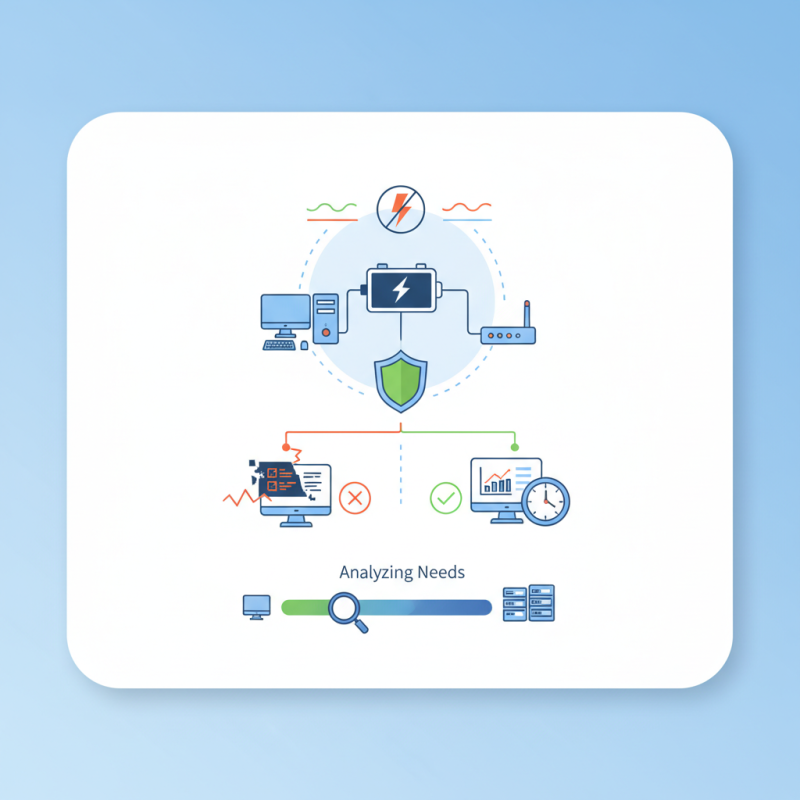
However, selecting the right UPS can be challenging. Various models exist, each tailored for different needs. It's essential to analyze your specific requirements. This reflection can prevent overstating or underestimating the necessary power capacity. Ultimately, the goal is to find a UPS uninterrupted power supply that meets your demands while ensuring minimal interruptions.
Understanding the Basics of Uninterrupted Power Supply (UPS)
Uninterrupted Power Supplies (UPS) play a crucial role in ensuring consistent power flow.
A UPS acts as a backup system during power outages. It provides temporary power, allowing devices to continue operating seamlessly.
This is essential for sensitive electronics that must not lose power unexpectedly.
Understanding the basics of UPS involves recognizing its components. A UPS typically includes
batteries, an inverter, and a charger.
Batteries store energy, while the inverter converts it to usable electricity. The charger keeps the batteries fully charged.
Size and capacity vary, so it's vital to choose one that meets specific needs.
Choosing the right UPS requires careful consideration.
Assess the total power consumption of the devices you want to protect. This can be more complex than it sounds.
Many users underestimate their power needs. Calculating everything accurately is essential to avoid future problems.
Remember, a UPS is only as effective as its installation and maintenance. Regular checks can prevent failures when you need it most.
Types of Uninterrupted Power Supply Systems: Which One is Right for You?
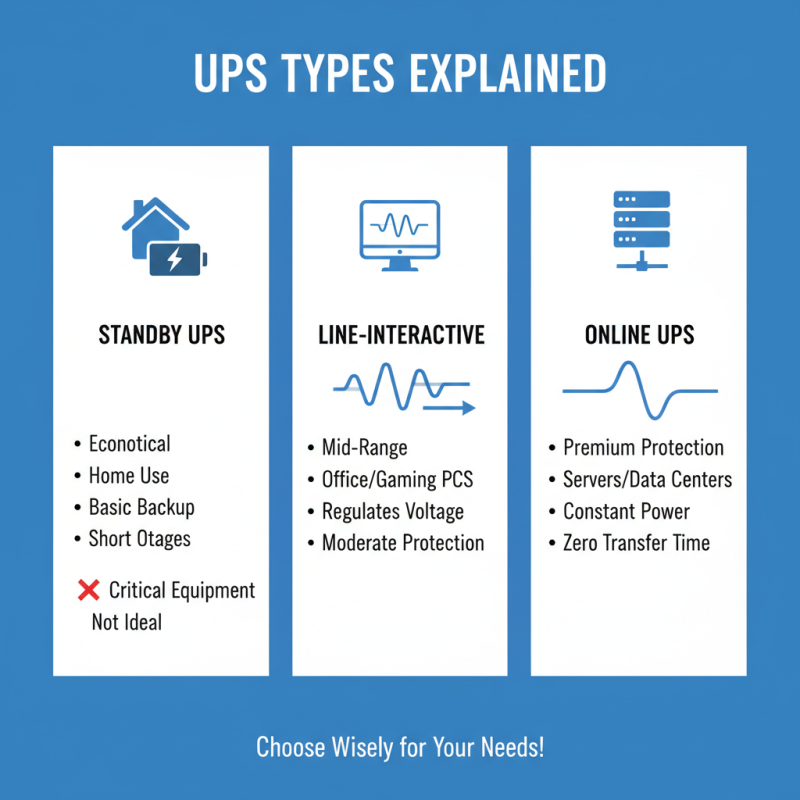
When choosing an Uninterrupted Power Supply (UPS), understanding the types is essential. There are primarily three types: standby, line-interactive, and online. Standby models are economical and ideal for home use. They provide basic battery backup for short outages. However, their efficiency may not meet the demands of critical equipment.
Line-interactive systems offer enhanced capabilities. They feature voltage regulation and are suitable for small to medium businesses. Data from the International Electrotechnical Commission indicates that around 70% of businesses experience power disturbances yearly. Losing sensitive data could be costly. Yet, line-interactive systems don't eliminate all downtime.
For large-scale operations, online UPS systems are necessary. They provide continuous power and are capable of protecting against all power problems. A report by the U.S. Department of Energy suggests that up to 30% of downtime is preventable with proper UPS selection. However, they come with higher costs and maintenance challenges. Weighing the pros and cons of each type is crucial to making the right choice.
Key Features and Specifications to Consider When Choosing a UPS
When selecting an Uninterrupted Power Supply (UPS), several features are crucial. The capacity is one of the first aspects to consider. It indicates how much power the UPS can deliver. Make sure it matches your devices' total power requirements, adding a buffer for safety. The runtime is equally important. Different models provide varying backup times. Identify how long you need power to keep your devices running during an outage.
Another key specification is the number of outlets. Ensure there are enough to accommodate your essential devices. USB ports might also be valuable for convenience. Look for features like surge protection, which guards against voltage spikes. This can save your equipment from potential damage.
Consider the UPS's form factor too. Some models are compact and designed for small spaces. Others are larger and better suited for server rooms or extensive setups. Think about where you will place it. Reflect on your needs based on this setup and future growth. Always choose wisely; an informed decision can prevent failures later.
What is an Uninterrupted Power Supply for Your Needs? - Key Features and Specifications to Consider When Choosing a UPS
| Feature |
Description |
Specifications to Consider |
| Power Rating |
The capacity of the UPS to provide power to connected devices. |
Measured in VA (Volt-Amps); select based on total load. |
| Battery Runtime |
The duration the UPS can power devices when the main power fails. |
Measured in minutes; choose based on equipment needs. |
| Form Factor |
Physical size and layout of the UPS. |
Tower, rack-mounted, or compact options. |
| Output Waveform |
The type of electricity output provided by the UPS. |
Sine wave or modified sine wave; pure sine wave preferred for sensitive equipment. |
| Connectivity Options |
Methods to interface the UPS with other devices. |
USB, Serial, Ethernet; for monitoring and management. |
| Overload Protection |
Feature that protects the UPS and connected equipment from overload. |
Automatic shut-off or alarm; essential for safety. |
| Battery Type |
Type of battery used in the UPS. |
Lead-acid, lithium-ion; consider lifespan and cost. |
Common Applications of Uninterrupted Power Supply in Various Sectors
Uninterrupted Power Supply (UPS) systems serve critical functions across various sectors. In healthcare, hospitals rely on UPS to ensure lifesaving equipment remains operational during outages. According to a report by Research and Markets, the global healthcare UPS market is projected to grow at a CAGR of 6.1% through 2025. This growth highlights the increasing importance of reliable power in medical facilities.
In IT and data centers, UPS systems protect sensitive data and maintain uptime. A significant power failure can lead to data loss or system failures. The Uptime Institute found that unplanned outages cost organizations an average of $9,000 per minute. This staggering figure stresses the need for robust power solutions in the tech industry. However, some businesses underestimate their power needs. This can lead to inadequate UPS systems and prolonged downtimes during critical incidents.
Manufacturing is another sector benefiting from UPS systems. They help maintain production lines, even during short power interruptions. According to a 2020 report by Fortune Business Insights, the industrial UPS market is expected to reach $11.04 billion by 2027. However, many plants still face challenges regarding maintenance and proper sizing of their UPS units. Overlooking these details could lead to inefficiencies and increased operational costs.
Maintenance and Troubleshooting Tips for Your UPS System
Maintaining an uninterrupted power supply (UPS) system is crucial for protecting sensitive equipment. Regular checks on battery health can prevent unexpected failures. Reports suggest that around 20% of UPS systems fail due to poor maintenance.
Battery lifespan typically ranges from three to five years. Keeping track of battery age and performance is essential. Conducting monthly self-tests can reveal issues early. Many users neglect this step, leading to significant downtime. Dust buildup in vents can also affect performance. Regular cleaning can enhance airflow and prolong life.
Troubleshooting can be daunting. Many users lack knowledge about common issues. For example, an overloaded UPS might cause it to shut down unexpectedly. Inadequate power ratings can lead to inefficiency. Monitoring usage with a smart management system can help optimize performance. Keeping records of past outages aids in understanding and improving the system.
UPS System Battery Health Monitoring
This chart shows the average health percentage of UPS batteries over a period of six months. Regular maintenance can significantly improve battery longevity and performance.