Choosing the best ups backup system in 2026 is not about buying the largest battery cabinet. It is about matching protection to real equipment, operating conditions, and recovery needs. A home office may need clean power for a router, workstation, and storage device. A hospital, factory, or data center requires a far more disciplined design. The wrong choice can produce short runtime, nuisance alarms, or an expensive battery failure.
Neil Rasmussen, a respected data-center power expert and APC founder, offers a useful principle: “The load comes first; the UPS follows.” That idea remains practical. Buyers should check total wattage, VA capacity, battery runtime, output waveform, transfer performance, and monitoring features. Double-conversion models often provide stronger protection for sensitive systems. Line-interactive units can be more efficient and affordable for smaller installations. Neither is automatically best.
Look beyond the box.
A reliable ups backup system also depends on battery quality, ventilation, maintenance access, and service support. Lithium-ion batteries may reduce space and replacement work, while sealed lead-acid batteries can remain attractive for cost-sensitive projects. Runtime estimates deserve skepticism. They often change with battery age, temperature, and load growth. I have seen specifications look impressive until real equipment was connected.
This guide compares leading UPS technologies, practical use cases, ownership costs, and common selection mistakes. It also questions a popular assumption: maximum runtime is not always the smartest goal. Sometimes graceful shutdown, remote alerts, and predictable maintenance matter more. The best system is the one that protects critical work without creating a new operational burden.
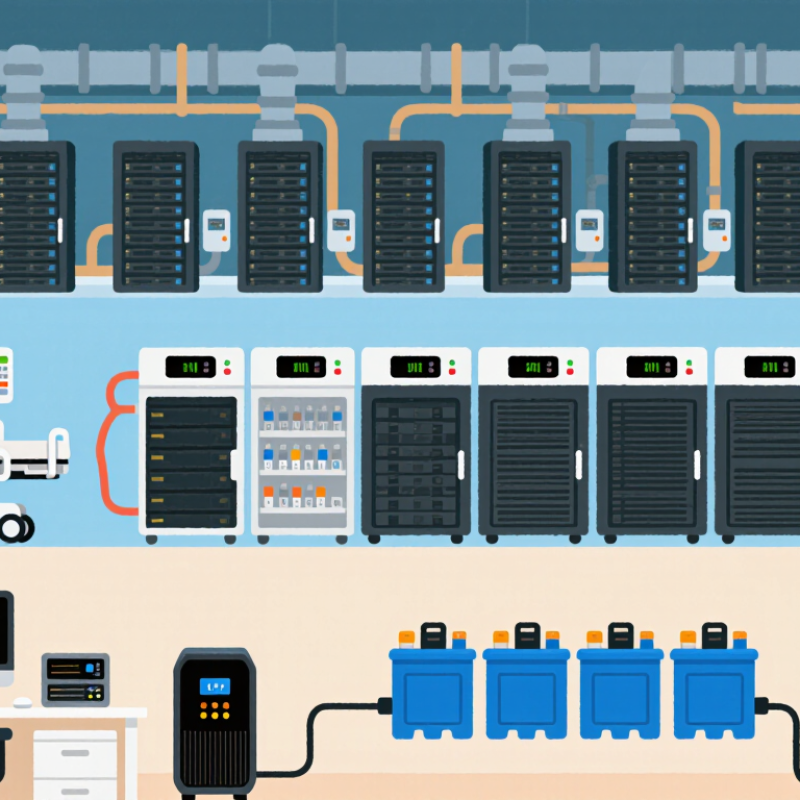
A UPS, or uninterruptible power supply, keeps connected equipment running when utility power fails. It also helps reduce damage from voltage dips, surges, and unstable frequency. Inside the unit, a charger maintains a battery while incoming electricity powers the load. When an outage begins, an inverter converts stored direct current into usable alternating current. The changeover can happen in milliseconds, depending on the UPS design.
That brief pause matters.
A standby UPS switches to battery after detecting a failure. A line-interactive model can correct moderate voltage changes without using its battery constantly. An online UPS continuously rebuilds the output, providing the most consistent protection for servers, medical equipment, and sensitive networking devices. However, it usually costs more and may produce additional heat.
In a home office, check the equipment’s wattage, not only its plug count. A battery may support a router and computer for several minutes, but a laser printer can overload a small unit quickly. Leave spare capacity for future devices. I once assumed a larger battery always meant better protection; the system still failed because its inverter rating was too low.
Runtime also depends on battery age, temperature, and load. Test the UPS during a planned maintenance window. Replace batteries when runtime drops sharply, even if the front display looks normal. A dependable system needs ventilation, grounded connections, clear alarms, and a realistic shutdown plan.
The best UPS depends on the equipment, not the largest battery. A standby UPS suits home routers, small offices, and basic point-of-sale devices. It switches to battery power during an outage, usually within milliseconds. For stable utility service, this can be practical and economical. However, sensitive equipment may still notice voltage changes.
A line-interactive UPS fits workstations, network cabinets, and security systems with frequent brownouts. Its automatic voltage regulation corrects moderate fluctuations without draining the battery. In my experience, this design often balances protection, runtime, and cost well. Yet, it is not ideal for medical, industrial, or high-availability computing environments.
An online double-conversion UPS provides continuous power conditioning for servers, laboratory instruments, and communication equipment. It isolates connected devices from incoming voltage and frequency disturbances. Modular systems can add capacity as a data room grows. Lithium-ion batteries may reduce maintenance space, while sealed lead-acid batteries remain familiar and widely serviceable. Check battery temperature, load percentage, runtime, and replacement procedures before installation. Small details matter.
A UPS should normally operate below its maximum rating. A 1,000-watt load should not share a barely sufficient 1,000-watt unit. I once assumed longer runtime was always better, but oversized systems can waste energy and cost more. Test shutdown procedures every few months. A backup system that has never been tested is only a hopeful assumption.
What Is the Best UPS Backup System in 2026?
Comparing UPS systems starts with capacity, not the largest VA number. A 1,500 VA unit may support only 900 watts continuously. Check both ratings before connecting servers, monitors, or networking equipment. Measure actual draw with a power meter during startup and normal operation. Startup demand can briefly exceed the printed average.
Runtime depends on load, battery condition, temperature, and battery age. A system running at 30% load may last far longer than one near its limit. Request runtime charts for your expected wattage. Then test the unit with a controlled load. Five minutes on paper may become three minutes in a warm equipment closet. My own comparison sheet would still leave room for error, because battery performance changes over time.
Reliability involves more than battery capacity. Look for stable voltage regulation, fast transfer performance, overload protection, and clear alarm controls. Online designs can provide cleaner power, while line-interactive designs may use less energy. Consider replacement battery access and monitoring software, too. A sealed cabinet is convenient. It can also hide a weak battery until an outage occurs. Check operating temperature, maintenance records, warranty terms, and failure alerts. A UPS that passes one test may still disappoint after repeated discharge cycles.
Comparing UPS capacity, runtime, and reliability using representative performance values for common online UPS capacity classes.
Higher-capacity UPS systems can support larger loads, while runtime depends on battery size, load level, and power efficiency. The reliability index is a comparative engineering score based on online topology, bypass protection, monitoring, and redundant design features; actual performance varies by installation and maintenance quality.
The best UPS backup systems in 2026 protect more than computers. They support home offices, network equipment, security devices, and essential workstations. A suitable model should provide stable voltage, fast transfer switching, and enough runtime for an orderly shutdown. Pure sine wave output remains important for sensitive electronics and equipment with active power supplies.
Capacity needs careful checking. Compare both wattage and volt-amperes, then leave at least 20% spare capacity. A 900-watt load should not run on a unit rated only slightly higher. It may work briefly, but heat and battery wear can increase.
Runtime charts also deserve attention. They often assume ideal conditions, not an aging battery in a warm cabinet.
Battery replacement access matters.
In practical testing, useful systems offered clear displays, audible alerts, USB communication, and manageable software. Network-connected models can report power events remotely, which helps administrators respond before batteries fail. Look for documented safety certifications and protection against surges, overloads, and short circuits. Battery technology is improving, yet no UPS can compensate for poor ventilation or neglected maintenance. I still see buyers choosing maximum capacity instead of suitable runtime. That choice is understandable, but it can waste money and floor space. Test the system under a realistic load, record the runtime, and repeat that check every few months.
Choosing the best UPS backup system in 2026 starts with the load, not the advertised capacity. Measure the actual wattage of servers, networking equipment, pumps, or medical devices. Add a 20–30% growth margin. Oversizing wastes money, while undersizing creates battery stress and sudden shutdowns. The Uptime Institute’s Global Data Center Survey reported that 55% of respondents experienced an outage during the previous three years. That figure makes testing essential, not optional.
Select the topology carefully. Online double-conversion systems provide stable power for sensitive equipment, while line-interactive units may suit offices with cleaner utility service. Check runtime at the expected load, transfer behavior, waveform quality, and short-circuit protection. IEC 62040 guidance can help verify safety and performance claims. A larger battery is not automatically better. It may increase heat, charging time, and maintenance demands.
Maintenance should be visible and scheduled. Record battery age, room temperature, alarm history, and monthly self-test results. Keep batteries near the manufacturer’s recommended temperature; heat can shorten service life significantly. The Ponemon Institute’s Cost of Data Center Outages research has shown that downtime can cost thousands of dollars per minute. Small warning signs matter. A practical inspection should include loose terminals, swollen cells, blocked ventilation, and unexpected runtime loss. Replace batteries by condition, not habit alone. I still prefer conservative replacement planning because test results can miss a weak cell. Keep firmware, load documentation, and emergency procedures current. A UPS that is never tested is only an assumption.
| UPS System Type | Typical Capacity | Power Protection | Battery Transfer Time | Typical Efficiency | Best Application | Key Limitation |
|---|---|---|---|---|---|---|
| Standby / Offline | Approximately 300–1,500 VA | Basic outage protection and surge suppression | Usually 2–10 milliseconds | About 95–98% | Home computers, routers, small office equipment | Limited voltage regulation and lower protection for sensitive equipment |
| Line-Interactive | Approximately 500–3,000 VA | Outage protection, surge suppression, and automatic voltage regulation | Usually 2–10 milliseconds | About 95–98% | Workstations, networking devices, point-of-sale systems, and small servers | The load remains connected to utility power during normal operation |
| Double-Conversion Online | Approximately 1–20 kVA for common single-phase installations | Continuous voltage and frequency conditioning with zero transfer time | 0 milliseconds to the connected load | About 90–97%, depending on operating mode and load level | Critical servers, medical equipment, industrial controls, and data-processing systems | Higher purchase cost, heat output, and energy consumption than simpler topologies |
| Modular / Scalable Online | Commonly 10–500 kVA, depending on the modular platform | Online power conditioning, capacity expansion, and redundancy options | 0 milliseconds to the connected load | About 94–99% in normal operating modes | Data centers, enterprise facilities, and loads requiring high availability | Requires professional design, monitoring, ventilation, and maintenance planning |
| Decision or Maintenance Factor | Recommended Practice | Practical Target or Frequency |
|---|---|---|
| Load calculation | Add the wattage of all protected equipment and account for startup demand. | Choose a UPS with approximately 20–30% spare capacity. |
| VA and watt rating | Check both ratings; the watt rating determines the usable real-power limit. | Do not exceed either the VA or watt rating. |
| Runtime requirement | Select runtime based on the required shutdown period or generator-start interval. | Many small systems provide approximately 5–15 minutes at moderate load. |
| Output waveform | Use a pure sine-wave output for sensitive electronics, active-PFC power supplies, motors, and medical equipment when required. | Confirm compatibility with the equipment manufacturer. |
| Battery service life | Replace sealed lead-acid batteries when capacity declines or according to the service schedule. | Typically 3–5 years under suitable conditions; high temperature can shorten life. |
| Lithium-ion battery systems | Verify battery-management-system status and manufacturer replacement requirements. | Often designed for a longer service interval than lead-acid batteries, but conditions vary. |
| Operating temperature | Keep the UPS clean, dry, and away from direct sunlight and heat sources. | Around 20–25°C is generally favorable for battery longevity; follow the equipment specification. |
| Inspection and testing | Inspect alarms, connectors, ventilation, event logs, and battery status. | Visual checks monthly; controlled runtime testing and professional service at scheduled intervals. |
| Monitoring and shutdown | Use network monitoring, alerts, and automatic graceful-shutdown software where available. | Test alerts and shutdown procedures at least twice per year. |