
Call Us For Your Battery Needs
800-400-4858
10 Best UPS Uninterruptible Power Supply Systems for 2026
A power outage rarely arrives at a convenient moment. A router drops, a server begins shutting down, and unsaved work can disappear before anyone reaches the breaker panel. A UPS uninterruptible power supply helps bridge that gap, but not every system suits every setup. Capacity, runtime, battery type, outlet count, and surge protection all shape the right choice.
Data-center specialist Neil Rasmussen’s design guidance can be paraphrased simply: “Size backup power for the real load and required runtime.” That means checking what equipment actually draws, rather than relying only on labels or optimistic estimates. A desktop and modem may need minutes to save work; a network closet or small server room may need longer protection and safe shutdown support. Small details matter.
This guide to the 10 Best UPS Uninterruptible Power Supply Systems for 2026 compares options for home offices, gaming stations, workstations, and business equipment. It considers practical factors such as available outlets, replaceable batteries, monitoring features, and expected runtime under load. No single model is best for everyone. A larger battery can add cost and weight, while a compact unit may leave little room for future equipment. Check the numbers. Then check them again. Use the comparisons as a starting point, and verify current specifications against your own devices before buying.
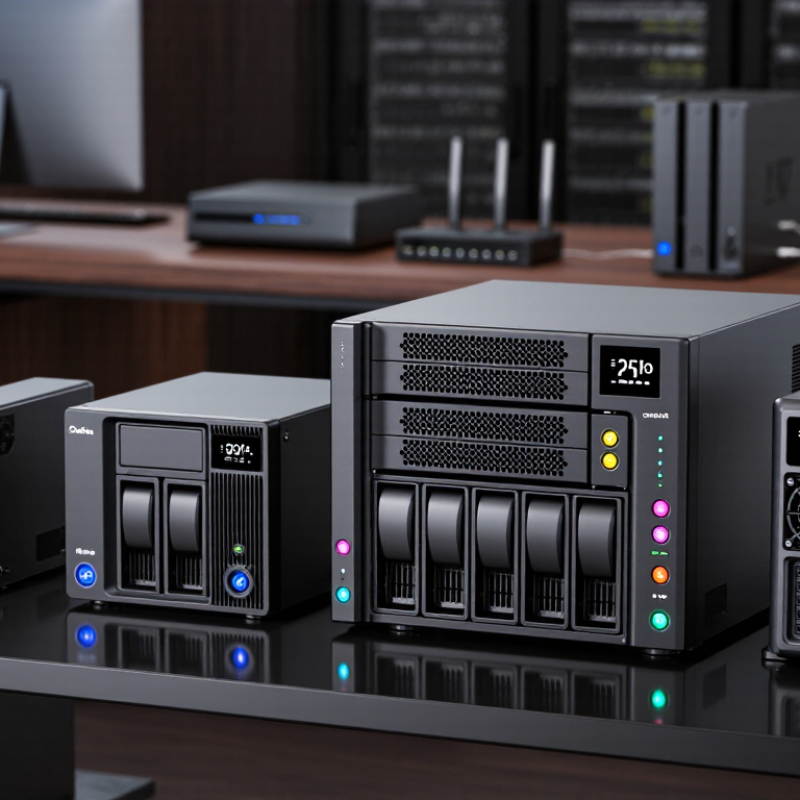
UPS Systems: Purpose, Components, and Operating Principles
A UPS, or uninterruptible power supply, keeps connected equipment running when utility power fails or becomes unstable. It is not an unlimited energy source. It provides a controlled bridge to a safe shutdown or another power source. That distinction matters. During a brief outage, a router, workstation, or network switch may stay online long enough to save work and avoid an abrupt disconnection.
Most UPS systems contain a battery, charger, inverter, transfer circuitry, and protective controls. The charger stores energy while mains power is available. When voltage drops or disappears, the inverter converts battery power into usable alternating current. Standby models switch to battery during an outage; line-interactive models can also correct some voltage fluctuations. Online systems continuously condition power, which may suit sensitive equipment but can add cost and heat. Check the watt rating, not only the VA rating, and leave room for startup demand. A display may show load and estimated runtime. Not a guarantee. Battery capacity declines with age and heat, so inspect the unit’s status and test its runtime periodically. In a cramped equipment room, poor airflow can matter as much as the number shown on the screen.
10 Best UPS Uninterruptible Power Supply Systems for 2026 — UPS Systems: Purpose, Components, and Operating Principles
A category-based comparison of common UPS system types. Capacity ranges are representative; runtime, efficiency, and supported loads vary by configuration and operating conditions.
| Rank | UPS System Type | Typical Capacity | Operating Principle | Key Components | Best Suited For | Runtime and Output Notes |
|---|---|---|---|---|---|---|
| 1 | Online double-conversion UPS | Small to large systems, commonly from about 1 kVA upward | Continuously converts incoming AC to DC and back to AC, isolating connected equipment from many input disturbances. | Rectifier, DC bus, battery, inverter, bypass switch, control system | Servers, network equipment, and sensitive loads requiring consistent power conditioning | Battery runtime depends on load and battery capacity. Inverter output is typically sinusoidal. |
| 2 | Line-interactive UPS | Commonly about 500 VA to 3 kVA | Supplies utility power during normal conditions and uses automatic voltage regulation; transfers to battery when input conditions exceed its operating range. | Battery, inverter/charger, voltage-regulating transformer, transfer switch | Desktop computers, small offices, routers, and point-of-sale equipment | Transfer time and battery runtime vary by design, load, and battery condition. Output waveform depends on the unit. |
| 3 | Standby (offline) UPS | Commonly about 400 VA to 1.5 kVA | Normally passes utility power to the load and switches to battery-powered inverter output when utility power fails or falls outside limits. | Battery, inverter, charger, transfer switch, surge protection | Home computers, peripherals, and basic electronics with moderate power-quality needs | Designed mainly for short outages and safe shutdowns. Transfer time and waveform vary by design. |
| 4 | Rack-mount online UPS | Commonly about 1 to 10 kVA per unit | Uses online double conversion in a rack-oriented enclosure, with battery backup and optional external battery modules. | Rectifier, inverter, battery modules, bypass, monitoring and management interfaces | Server racks, network closets, and edge-computing installations | Runtime can be extended with compatible external batteries; rack space, ventilation, and circuit capacity must be considered. |
| 5 | Modular online UPS | Configurations commonly range from several kVA to hundreds of kVA | Parallel power modules share the load; modular designs can support capacity expansion and, in suitable configurations, redundancy. | Power modules, shared or distributed batteries, static bypass, controls | Data centers and facilities that need scalable capacity or service flexibility | Capacity and redundancy depend on module count and system configuration. Battery runtime is determined by the installed battery system and load. |
| 6 | Three-phase online UPS | Commonly about 10 kVA to several hundred kVA | Uses power electronics to condition three-phase input and provide three-phase output, often with double-conversion operation. | Rectifier, inverter, battery strings, bypass, protection and control equipment | Data centers, commercial buildings, industrial controls, and larger electrical loads | Requires appropriate three-phase supply and installation. Output configuration and runtime depend on the selected system. |
| 7 | UPS with external battery cabinet | Varies by UPS; commonly available across small and large systems | The UPS inverter supplies the load during an outage, while an external battery cabinet provides additional stored energy. | UPS power stage, battery cabinet, battery disconnects, monitoring and protection | Sites that need longer backup time than an internal battery pack can provide | Additional batteries can increase runtime but do not automatically increase UPS output capacity. Compatibility and charging limits matter. |
| 8 | Lithium-ion battery UPS | Available in a range of small and enterprise capacities | Uses a UPS power topology such as line-interactive or online double conversion, paired with lithium-ion batteries and battery-management electronics. | Rectifier or charger, inverter, lithium-ion battery cells, battery-management system | Installations prioritizing compact battery storage or reduced battery maintenance requirements | Battery life, charging behavior, and operating limits depend on battery chemistry, temperature, and system design. It is not a separate UPS topology. |
| 9 | DC UPS | Common DC outputs include 12 V, 24 V, and 48 V systems | Maintains a DC output from an AC supply and battery, avoiding an AC-to-DC-to-AC conversion path when the load itself uses DC. | AC/DC charger, battery, DC distribution and protection, monitoring circuitry | Telecommunications equipment, control panels, and low-voltage DC devices | Output voltage, current rating, battery chemistry, and protection must match the connected DC load. |
| 10 | Industrial UPS | Application-specific; systems range from small control loads to high-power installations | Provides battery-backed power and power conditioning using a topology selected for the site’s electrical and environmental requirements. | Power converter, industrial battery system, bypass, protective devices, environmental controls | Process controls, automation systems, and facilities with demanding operating conditions | Temperature, dust, vibration, fault protection, and required backup time should be evaluated for each installation. |
Selection note: VA is apparent-power capacity; W is real-power capacity. Check both ratings, the required output waveform, transfer behavior, battery runtime at the actual load, and the electrical requirements of the installation before choosing a UPS.
Related Posts
-
2026 Top UPS Backup Types Which One Should Buyers Choose?
-
China Top UPS Power Supply Manufacturers How to Choose?
-

What Is the Best UPS Backup for Global Businesses?
-
How to Choose the Best UPS Backup for Your Business?
-
What Is the Best UPS Backup System in 2026?
-
China Top UPS Backup System Manufacturers and Suppliers