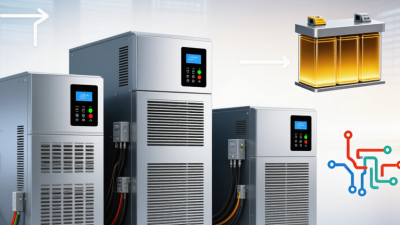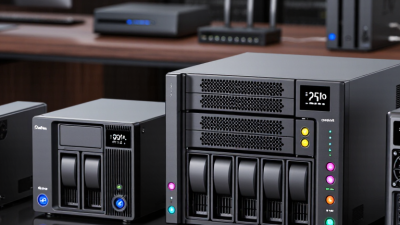
A brief outage can interrupt a payment terminal, shut down a small server, or leave essential network equipment offline. A suitable ups battery backup helps keep critical devices running while power returns or staff perform a safe shutdown. But “best” depends on the equipment, the site, and how much runtime the business actually needs.
This guide reviews ten UPS battery backup systems for different business needs, from compact office setups to server racks. We consider practical factors such as rated capacity, outlet types, battery runtime, surge protection, monitoring tools, and battery replacement options. These details matter when a unit must fit beneath a desk or connect cleanly to a rack. Still, published runtime figures are estimates; actual results change with the connected load, battery age, and operating conditions. Check your equipment’s power requirements before choosing a model. A larger unit is not automatically the better fit.
Small details count. Audible alarms may bother staff in a quiet office, while limited outlets can complicate a tidy installation. No single model fits every site. The right choice balances protection, runtime, budget, and maintenance needs—not just headline capacity. We’ll highlight where each option may work well and what to verify before purchase. Some trade-offs are easy to miss, and real-world testing can reveal them.
A UPS battery backup system keeps critical equipment running when utility power fails or fluctuates. Seconds matter. It bridges the gap until a generator starts, or gives staff time to save files and shut systems down safely.
In a server room, that can mean keeping network switches, storage, and cooling controls online during a brief interruption. For longer outages, runtime depends on battery capacity and connected load; a UPS is not a substitute for a generator.
Uptime Institute’s 2024 Annual Outage Analysis found that 54% of respondents’ most recent significant outages cost more than $100,000, and 16% exceeded $1 million. The 2024 Ponemon Institute Cost of Data Center Outages study estimated an average outage cost of about $1.01 million.
Those figures cover data centers, not every business, but they show why power continuity deserves careful planning. A UPS can also condition incoming power and reduce exposure to voltage dips. That is not redundancy. Batteries degrade, and undersized units may run out before a safe shutdown. Businesses should test alarms, inspect batteries, and size systems for essential equipment rather than every outlet. One overlooked load can shorten runtime.
A business UPS should be evaluated against the failure it must prevent, not just its advertised capacity. Measure the load in watts and volt-amperes, then allow for growth and startup surges. Runtime must be checked at the actual load: a unit rated for 30 minutes may provide much less when servers, switches, and storage draw heavily. Consider whether standby, line-interactive, or online operation fits the equipment’s sensitivity. Check for a maintenance bypass, too. It can keep critical equipment powered during service.
That makes monitoring, tested shutdown procedures, and service response important purchasing criteria. Compare efficiency at typical loads, battery replacement intervals, recharge time, temperature limits, alarm visibility, and support coverage. Request runtime data for your measured load, rather than relying on a headline rating. A tidy spreadsheet is not proof; real usage changes, and that detail is easy to overlook.
Tips: Measure each rack. Test transfer behavior under controlled conditions. Record battery age and review alarms regularly. Ask how replacement and maintenance work before purchase.
Ten UPS Battery Backup Systems for Business Use
A business UPS should keep critical equipment running long enough for a safe shutdown or generator transfer. Uptime Institute’s 2024 Annual Outage Analysis reported that 54% of surveyed operators’ most recent significant outages cost more than $100,000. Power protection deserves careful sizing, not guesswork. Small loads differ.
Ten useful business configurations include standby units for basic desktop protection; line-interactive units for offices with frequent voltage swings; and online double-conversion units for sensitive servers. Modular systems allow capacity to grow in measured increments. Rackmount models fit server cabinets, while tower units suit floor-level work areas. Single-phase systems often serve smaller installations; three-phase systems support larger electrical loads. The remaining two choices describe battery chemistry: valve-regulated lead-acid batteries are familiar and often economical, while lithium-ion batteries can offer longer service life and lower weight. These categories overlap. A rackmount unit, for example, may use lithium-ion batteries and online conversion.
Match capacity to measured watts and expected runtime, then leave room for growth. A UPS rated in volt-amperes alone does not reveal how long it will support a real load. Check outlet count, network monitoring, battery replacement access, and bypass arrangements. Place the unit where staff can inspect its display and hear alarms. Plan for growth. I would recheck the assumptions after adding servers; estimated loads are often imperfect, and that is worth admitting.
These brand-neutral configurations represent common business UPS capacity classes. Runtime figures are approximate estimates at 50% of rated watt capacity; actual runtime depends on battery condition, load, temperature, and configuration.
| Configuration | Rated Capacity | Typical Topology | Approx. Runtime at 50% Load | Best-Fit Use | Installation and Expansion |
|---|---|---|---|---|---|
| Compact desktop backup | 500 VA / 300 W | Standby | About 5–10 minutes | One workstation, modem, or small point-of-sale terminal | Plug-in installation; typically uses an internal battery with no external battery cabinet |
| Small office backup | 750 VA / 450 W | Standby or line-interactive | About 6–12 minutes | Workstation and networking equipment in a small office | Plug-in installation; check outlet type and battery replacement access |
| Network closet protection | 1,000 VA / 600 W | Line-interactive | About 5–10 minutes | Router, switch, firewall, and other low-power network devices | Available in tower or rack form; some configurations support external battery packs |
| Small server backup | 1,500 VA / 900 W | Line-interactive | About 5–10 minutes | One small server or a compact group of network devices | Rack or tower options are common; network monitoring may be available as an add-on |
| Department server backup | 2,200 VA / 1,980 W | Line-interactive | About 5–10 minutes | Several servers or a departmental network rack | Requires suitable branch-circuit capacity; confirm output receptacles and load balance |
| High-capacity rack backup | 3,000 VA / 2,700 W | Line-interactive or online double-conversion | About 5–10 minutes | Server racks and business-critical network equipment | Rack or tower installation; external battery options are available in some configurations |
| Small equipment-room system | 5 kVA / 4.5 kW | Online double-conversion | About 5–10 minutes | Small server rooms and sensitive IT or communications equipment | Typically hardwired; confirm input voltage, output voltage, and circuit requirements |
| Medium equipment-room system | 6 kVA / 5.4 kW | Online double-conversion | About 5–10 minutes | Growing server rooms and consolidated business-critical loads | Hardwired installation is common; external battery cabinets can extend runtime |
| Large server-room system | 10 kVA / 9 kW | Online double-conversion | About 5–10 minutes | Multiple racks or larger IT rooms requiring continuous power conditioning | Professional electrical installation; some systems support parallel or redundant operation |
| Enterprise facility system | 20 kVA / 18 kW | Online double-conversion | About 5–10 minutes | Large equipment rooms, data-center zones, or concentrated critical loads | Hardwired, professionally installed system; battery cabinets and maintenance planning are important |
Business UPS systems should be compared by usable capacity, not headline numbers alone. Check both watt and volt-amp ratings against the equipment you plan to protect. A server rack, network switch, and storage unit can draw different loads, even when their power ratings look similar. Leave headroom for brief demand spikes and future additions. That matters.
Runtime depends on actual load, battery condition, and operating temperature. A unit rated for a long runtime at light load may provide only a few minutes when heavily loaded. Treat manufacturer runtime charts as estimates, then test with your own equipment where possible. I would not rely on a chart alone. Even a short shutdown window can help staff save work and power down systems safely.
Design affects daily use. Measure the available floor or rack space, and consider airflow, access to outlets, and battery replacement. Management features deserve equal attention. Network alerts, load monitoring, and automatic shutdown support can help teams respond before batteries run flat. Check whether alerts reach the people on call, not just a screen in a locked room. Features can sound useful on paper; setup and routine testing still take time.
Representative capacity classes and estimated runtime at 50% of rated load. Runtime varies by battery configuration, load, age, and operating conditions; use product-specific data when selecting a system.
Choosing a business UPS starts with a measured load, not the total rating on equipment labels. Record the watts used by servers, network switches, and essential controls during normal operation and peak demand. Add enough capacity for safe shutdowns and modest growth, but avoid paying for unused runtime. A UPS protects only the equipment connected to it. Label each outlet and confirm critical devices are actually plugged in.
Uptime Institute’s 2024 outage analysis found that 54% of respondents said their most recent significant outage cost more than $100,000. That figure is not a UPS-specific loss estimate, but it shows why recovery time deserves serious attention. Set runtime targets around real needs: bridging a brief interruption, or keeping systems alive until a generator stabilizes. Test transfer behavior under controlled conditions. A neat spreadsheet can still miss a printer, access-control panel, or switch in a back room.
Heat matters. Battery life can shorten in warm rooms, so keep vents clear and monitor temperature. Follow the manufacturer’s inspection schedule, check alarms, and log battery tests and replacements. Keep records. Replace aging batteries before a failed self-test becomes an emergency. Review capacity after major IT changes, and practice shutdown procedures with the people who will use them. One weak point remains: teams often test hardware but forget to rehearse the handoff.